
Boundary layers on every wall.
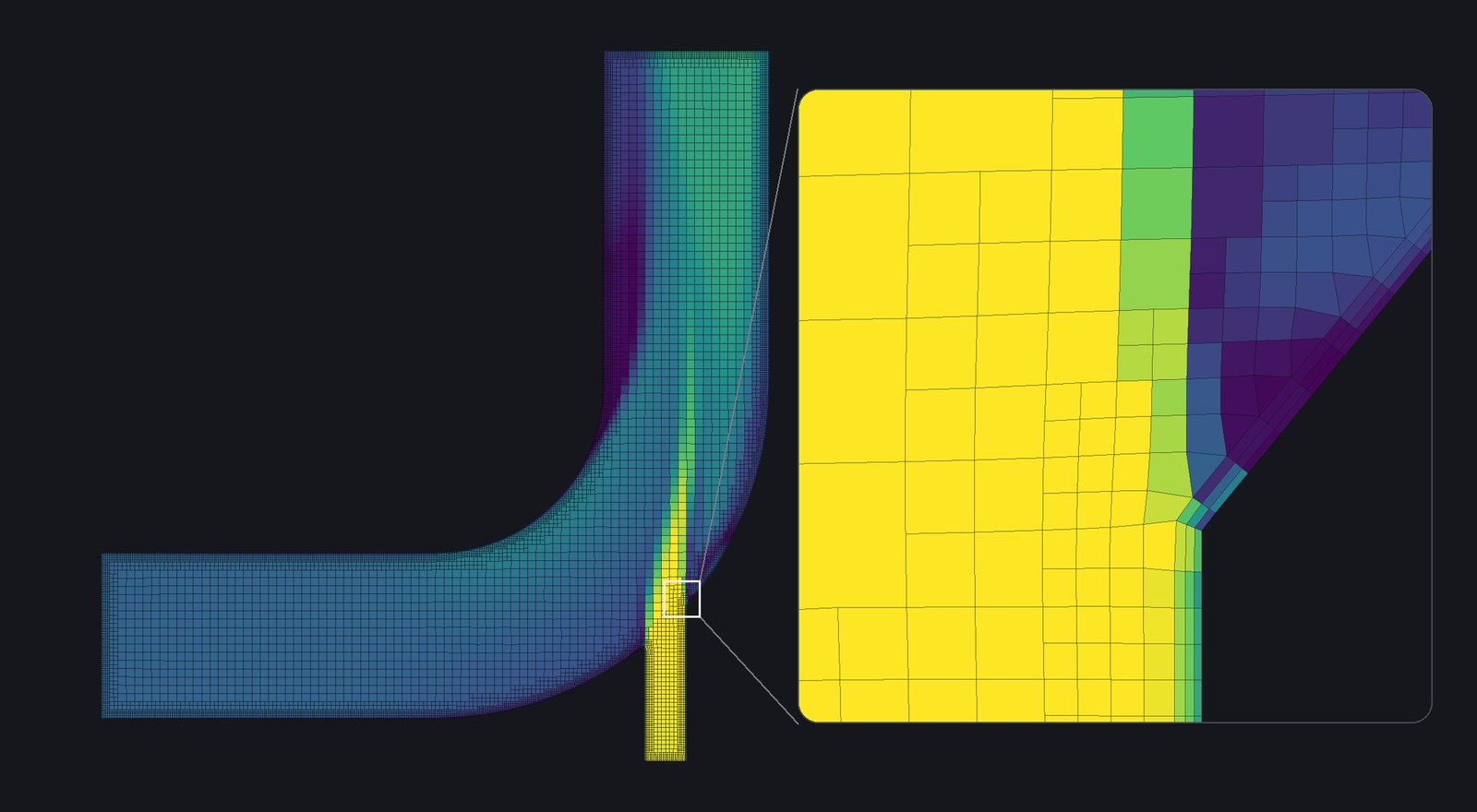
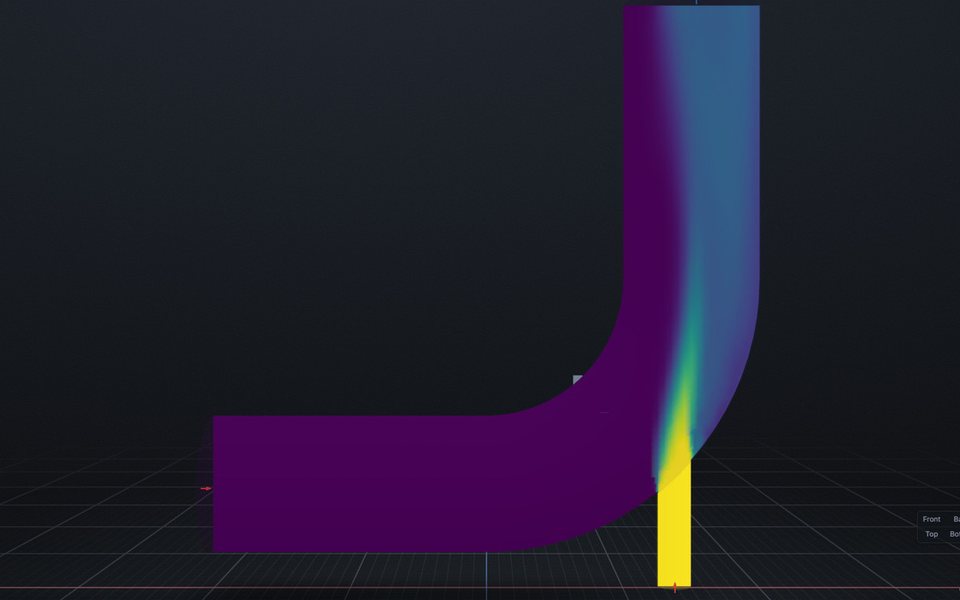
One switch adds three layers of thin cells along the walls, where the velocity changes fastest. This is the elbow’s symmetry plane, coloured by speed. The inset is where the side inlet meets the bend.
Stokes
A desktop GUI for OpenFOAM 14 on Windows and Linux. Import a STEP file, pick faces for the boundaries, mesh it, run it and look at the flow, all in one window.
Free for noncommercial use. Pre-alpha, and runs from source for now.
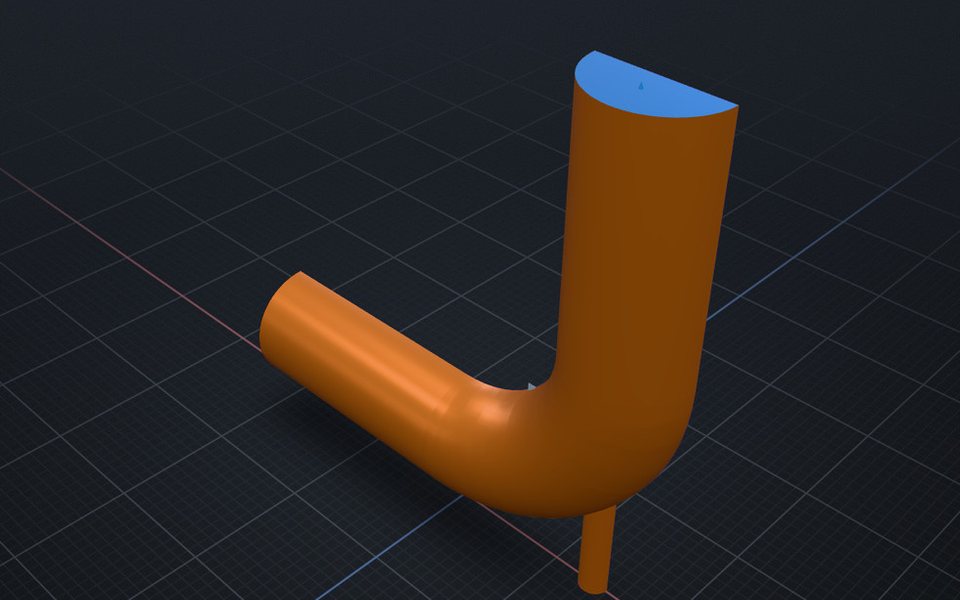
Two streams of water at different temperatures meet in a bend. Half the elbow is modelled, with a symmetry plane. Every picture here is that case.
Import. Open a STEP file and mark the body as fluid.
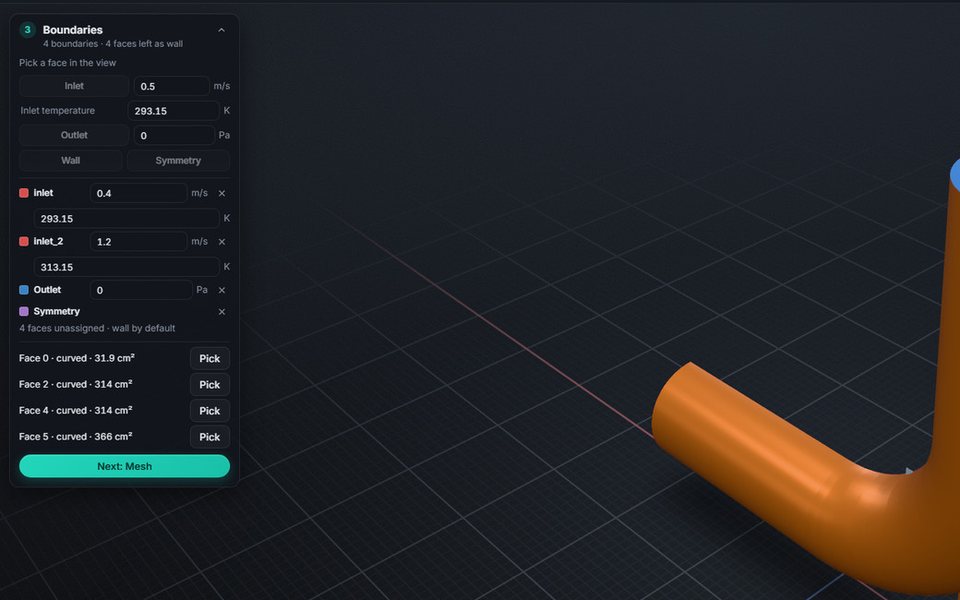
Boundaries. Pick a face, call it an inlet, type 0.4 [m/s].
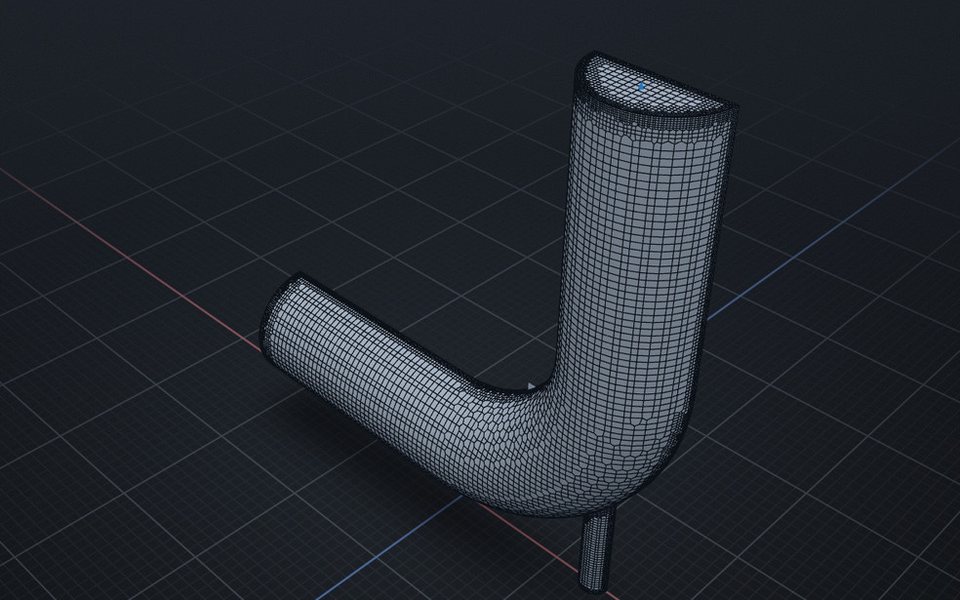
Mesh. Choose a mesher and a cell size. Quality is checked when it finishes.
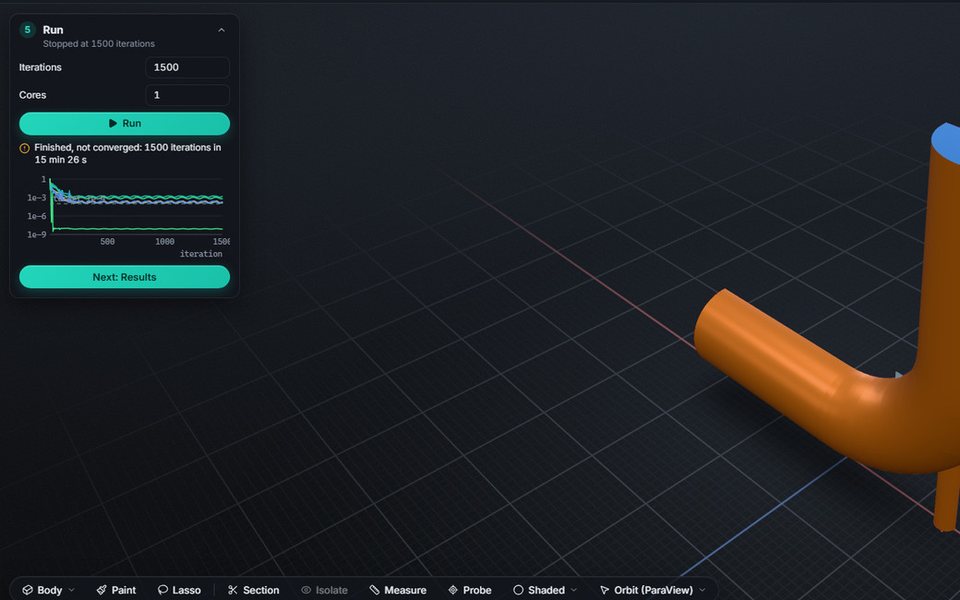
Run. Residuals stream in as it solves. A run that misses its target says so.
Results. Slices, streamlines, iso-surfaces, probes and plots.
Stokes writes the OpenFOAM case from the model you build. Raise an inlet
speed or shrink a cell size and the dictionaries are written again, so there is nothing to
hunt for in system/ and nothing to keep in sync by hand.
One switch adds three layers of thin cells along the walls, where the velocity changes fastest. This is the elbow’s symmetry plane, coloured by speed. The inset is where the side inlet meets the bend.
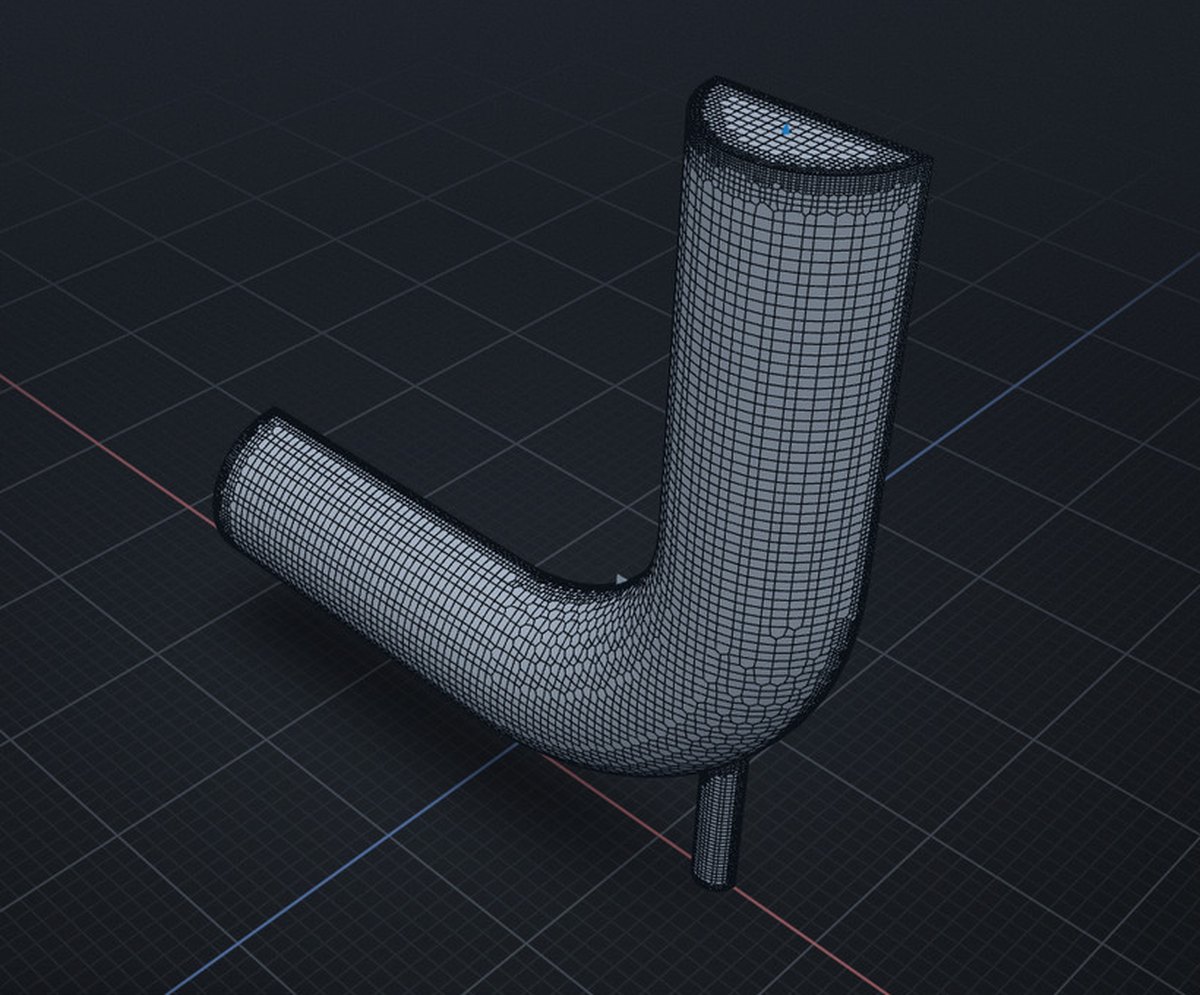
snappyHexMesh, cfMesh or blockMesh. This one has 81,749 cells and passed its quality check.
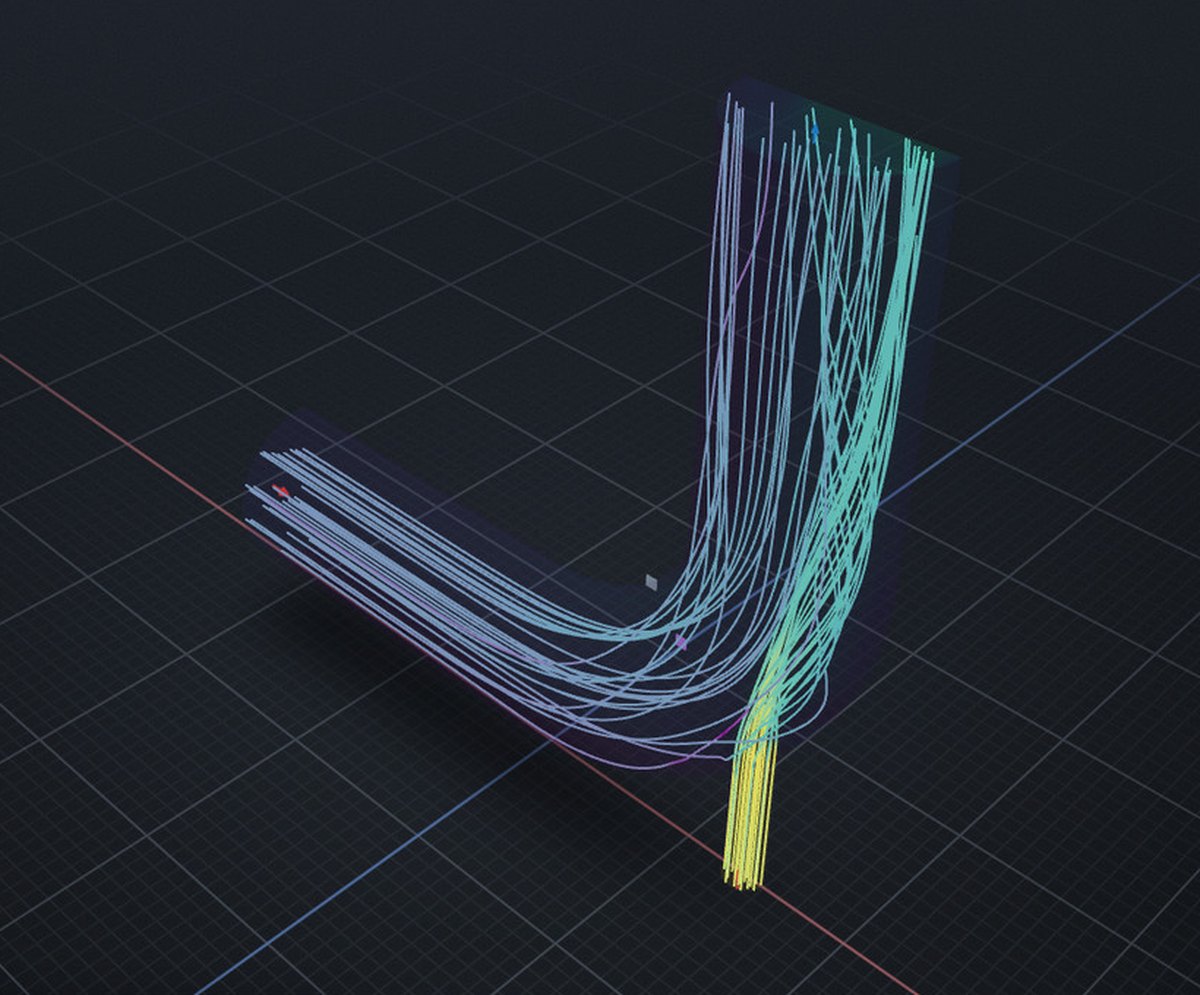
Streamlines seeded from the inlets, coloured by speed. Slices, iso-surfaces, probes and line plots sit next to them.
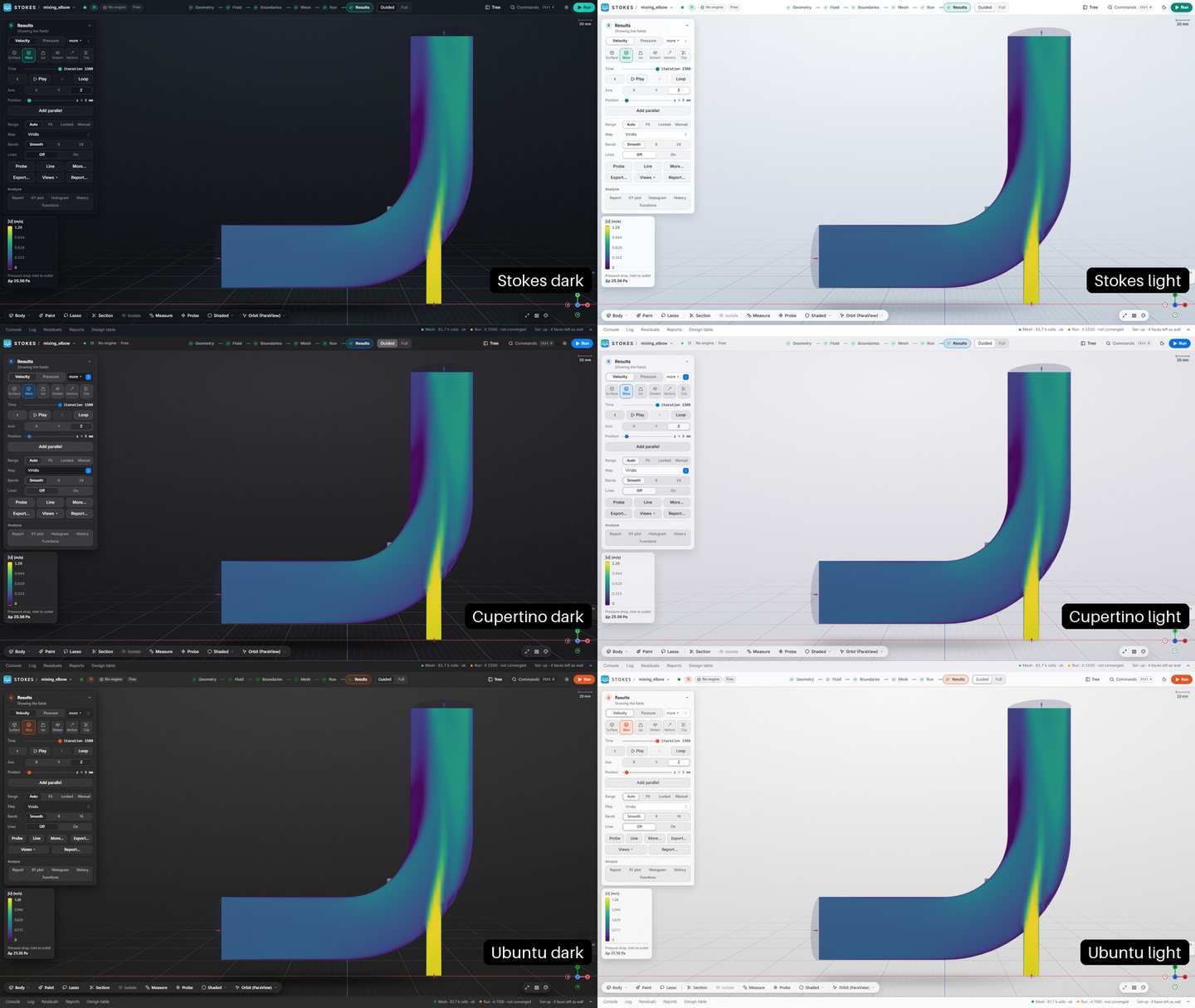
Three styles, each in light and dark. The video above uses Cupertino light.
2 [m/s] or U_in * 1.5.stokes command and a local server share one API, so scripts and LLM agents can drive a case.You need Python 3.13 or 3.14, Node.js 22.12 or newer, Git, and OpenFOAM 14. The full guides cover every step and the usual snags.
OpenFOAM through FoamWin v14.0.0-win.5 or newer. MS-MPI if you want more than one core.
git clone -b windows https://github.com/dhanninacs/stokes-cfd.git
cd stokes-cfd
py -3.14 -m venv .venv
.venv\Scripts\pip install -e ".[agent,server,ui,cad,extract,explore,materials]"
cd web; npm install; npm run build; cd ..
.venv\Scripts\python -m stokes.appThe official openfoam14 package on Ubuntu 22.04 or newer, plus cfMesh if you want it.
git clone -b linux https://github.com/dhanninacs/stokes-cfd.git
cd stokes-cfd
python3.13 -m venv .venv
.venv/bin/pip install -e ".[agent,server,ui,cad,extract,explore,materials]"
cd web && npm install && npm run build && cd ..
source /opt/openfoam14/etc/bashrc && .venv/bin/python -m stokes.appNo. It drives FoamWin, a native Windows build of OpenFOAM 14, directly. There is no WSL, virtual machine or Docker layer.
No. You install OpenFOAM separately. Stokes writes the case, runs your OpenFOAM tools as separate processes and reads the results back. It never bundles or links OpenFOAM.
Yes. Import an existing case or one of the OpenFOAM tutorials, edit its files as text inside the app, and run it.
Yes. Start python -m stokes.server there and open it through an SSH tunnel. The server only listens on 127.0.0.1 and asks for a one-time token.
For noncommercial use, yes, under the PolyForm Noncommercial licence. For commercial use, get in touch.
Questions about Stokes, a commercial licence, or OpenFOAM consultancy for a project of your own.